LookAt AimOffset
Computes AimOffset params to achieve a LookAt
UAnimGraphNode_AimOffsetLookAt
FAnimNode_AimOffsetLookAt
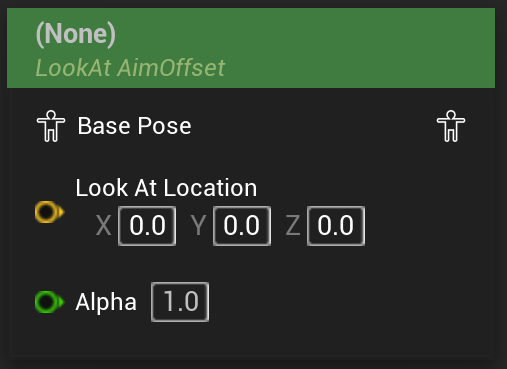
Plays a given AimOffset BlendSpace in such a way that the provided SocketAxis of the SourceSocketName-bone looks at the provided world-space LookAtLocation.
Optionally, a PivotSocketName can be specified, which will cause the node to treat the SourceSocketName-bone as if it were positioed at the specified pivot.
Other settings include all relevant data like play rate, start position and whether the animation should loop.
In contrast to the other BlendSpace / AimOffset player nodes, the input parameters are calculated automatically from the specified parameters, and cannot be set from outside logic. This also means that using a LookAt AimOffset node always requires a very specific AimOffset setup, as the computed inputs woll range from -180° to +180° in actor space.
In the node creation menu this node shows up in its pure form without an associated AimOffset, but also for every AimOffset for the skeleton of the AnimBP in the format of “LookAt AimOffset <AimOffset>” where, if chosen, the node will have the corresponding AimOffset already assigned.
The node can be converted to a AimOffset Player with the same AimOffset, or an AimOffset Graph via the right click menu.
On converting between players
The conversion between AimOffset player, evaluator, and graph only works when a AimOffset is specified.
Empty nodes still have the option available in the right click menu, but will not actually perform the conversion.